Nail salons that use Eva text their own customers about appointments and visits, from the salon’s own phone number and under the salon’s own name. Each salon is registered with the carriers as its own brand, with its own campaign. This page shows every place a customer agrees to those texts.
The screens below show a sample salon, Lavender Nails & Spa (salon code K7P2QX). On a real salon’s screens, the salon’s own name and its own link (p.eva-solution.net/t/<salon code>) appear in the same places.
1. What the salon sends
- Sender: the salon, by name, from the salon’s own phone number. Eva (EVA-SOLUTION LLC) is the salon’s software provider.
- What: booking confirmations and reminders (reply YES to confirm or NO to cancel), a receipt after checkout, one request to rate the visit, and the salon’s replies to messages the customer sends. No marketing, no promotions.
- How often: message frequency varies with the customer’s appointments and visits.
- Cost: message and data rates may apply.
- Opt out: reply STOP. Opt back in: reply START. Help: reply HELP, or call the salon.
2. Where customers agree
A customer gives their mobile number to the salon in one of four places. Each place shows the disclosure quoted below, word for word.
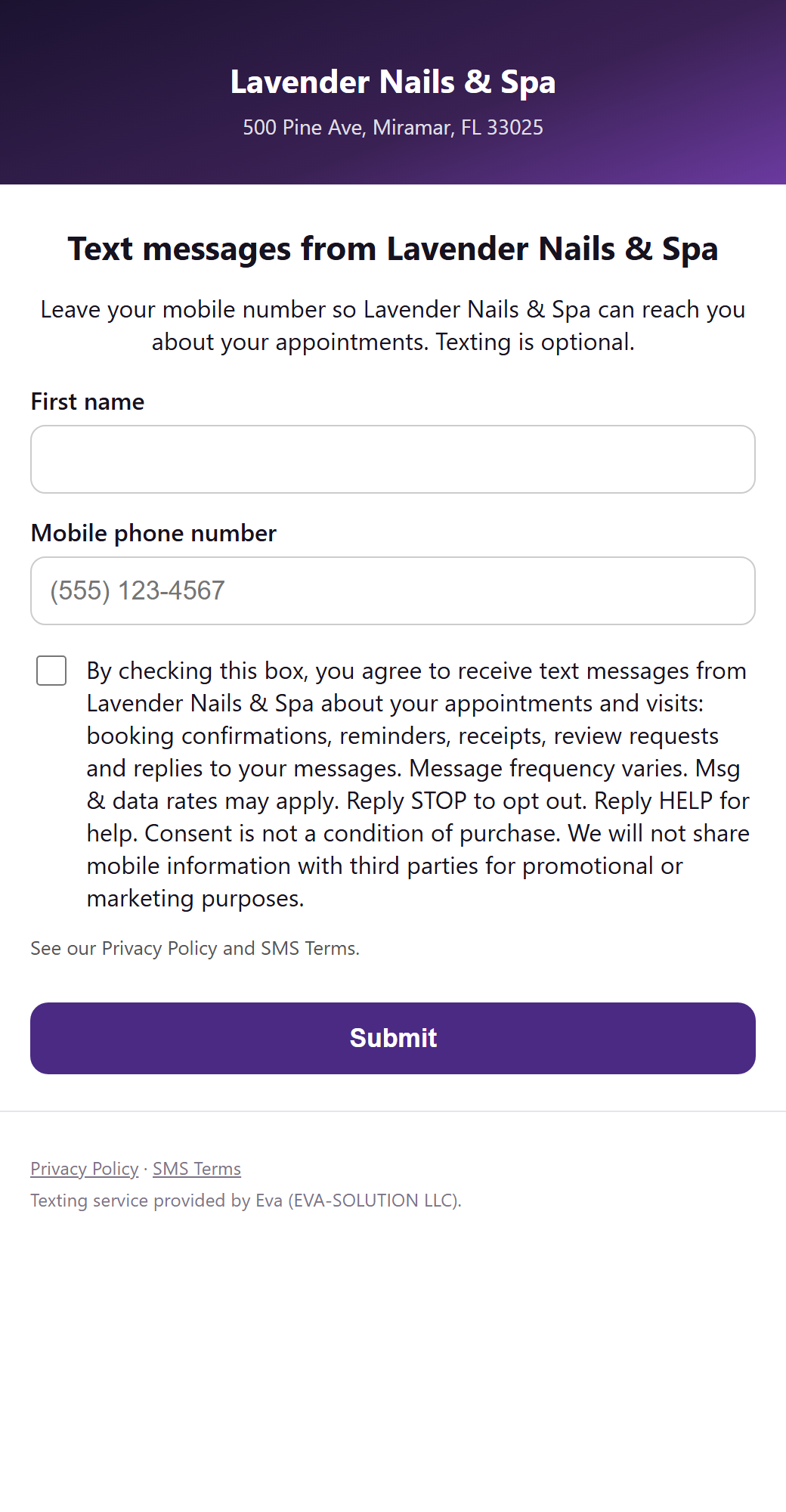
2.1 The salon’s web page — p.eva-solution.net/t/<salon code>
The customer enters a first name and mobile number. The number is required; the consent checkbox is optional and unchecked. Next to the checkbox:
“By checking this box, you agree to receive text messages from Lavender Nails & Spa about your appointments and visits: booking confirmations, reminders, receipts, review requests and replies to your messages. Message frequency varies. Msg & data rates may apply. Reply STOP to opt out. Reply HELP for help. Consent is not a condition of purchase. We will not share mobile information with third parties for promotional or marketing purposes.”
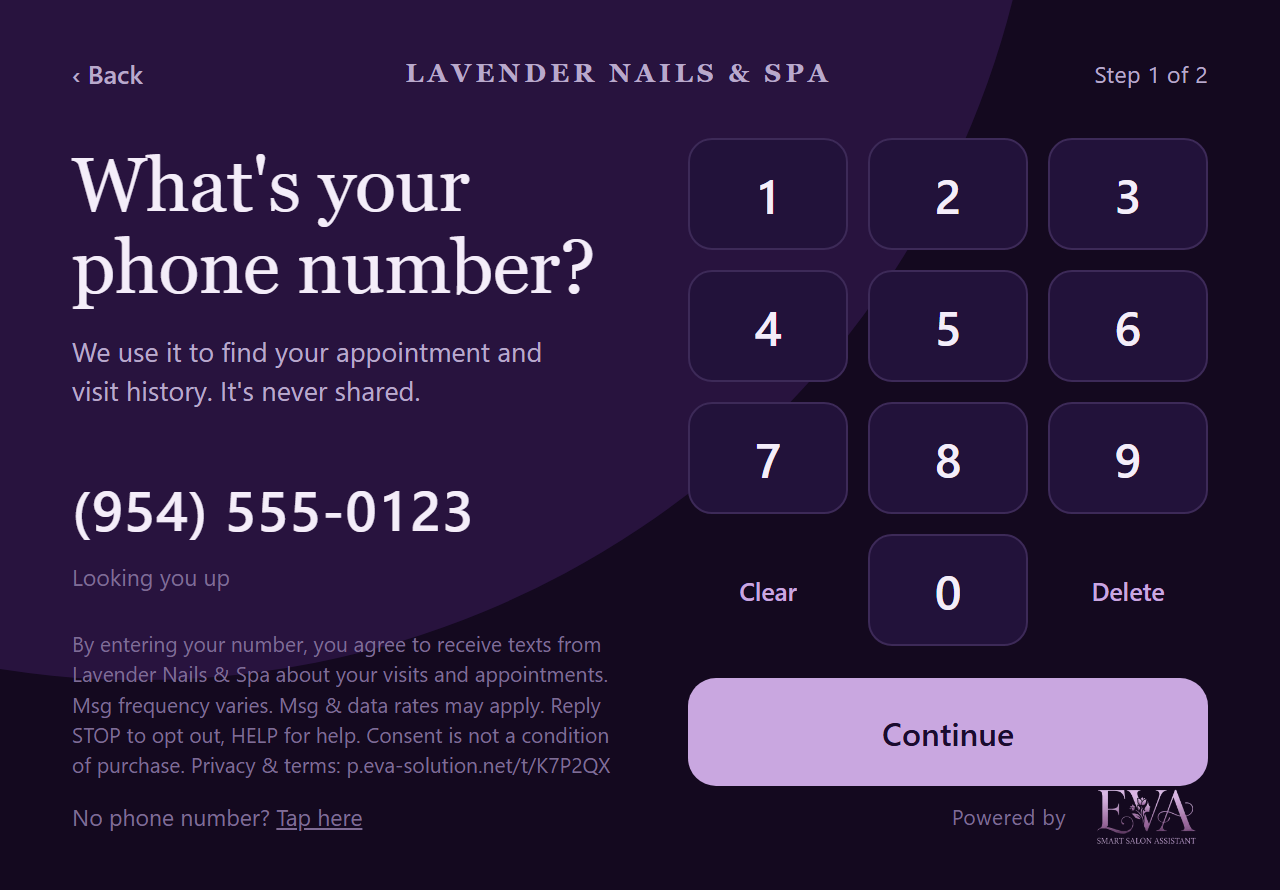
2.2 The check-in tablet in the salon
The customer types their own number on the tablet’s keypad. Below the number the screen shows:
“By entering your number, you agree to receive texts from Lavender Nails & Spa about your visits and appointments. Msg frequency varies. Msg & data rates may apply. Reply STOP to opt out, HELP for help. Consent is not a condition of purchase. Privacy & terms: p.eva-solution.net/t/K7P2QX”
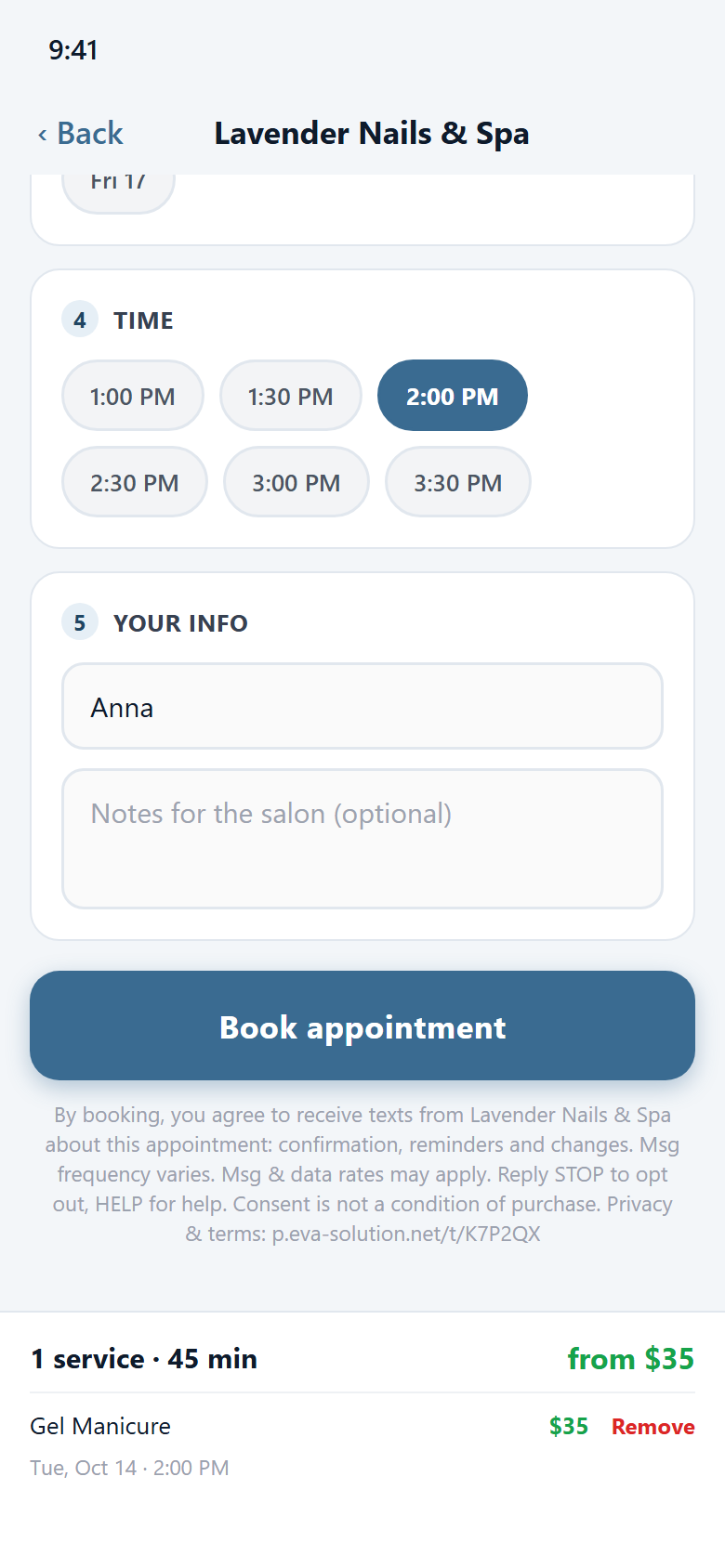
2.3 Booking in the Eva app
The customer books an appointment with the salon in the Eva app. Directly below the Book button the screen shows:
“By booking, you agree to receive texts from Lavender Nails & Spa about this appointment: confirmation, reminders and changes. Msg frequency varies. Msg & data rates may apply. Reply STOP to opt out, HELP for help. Consent is not a condition of purchase. Privacy & terms: p.eva-solution.net/t/K7P2QX”
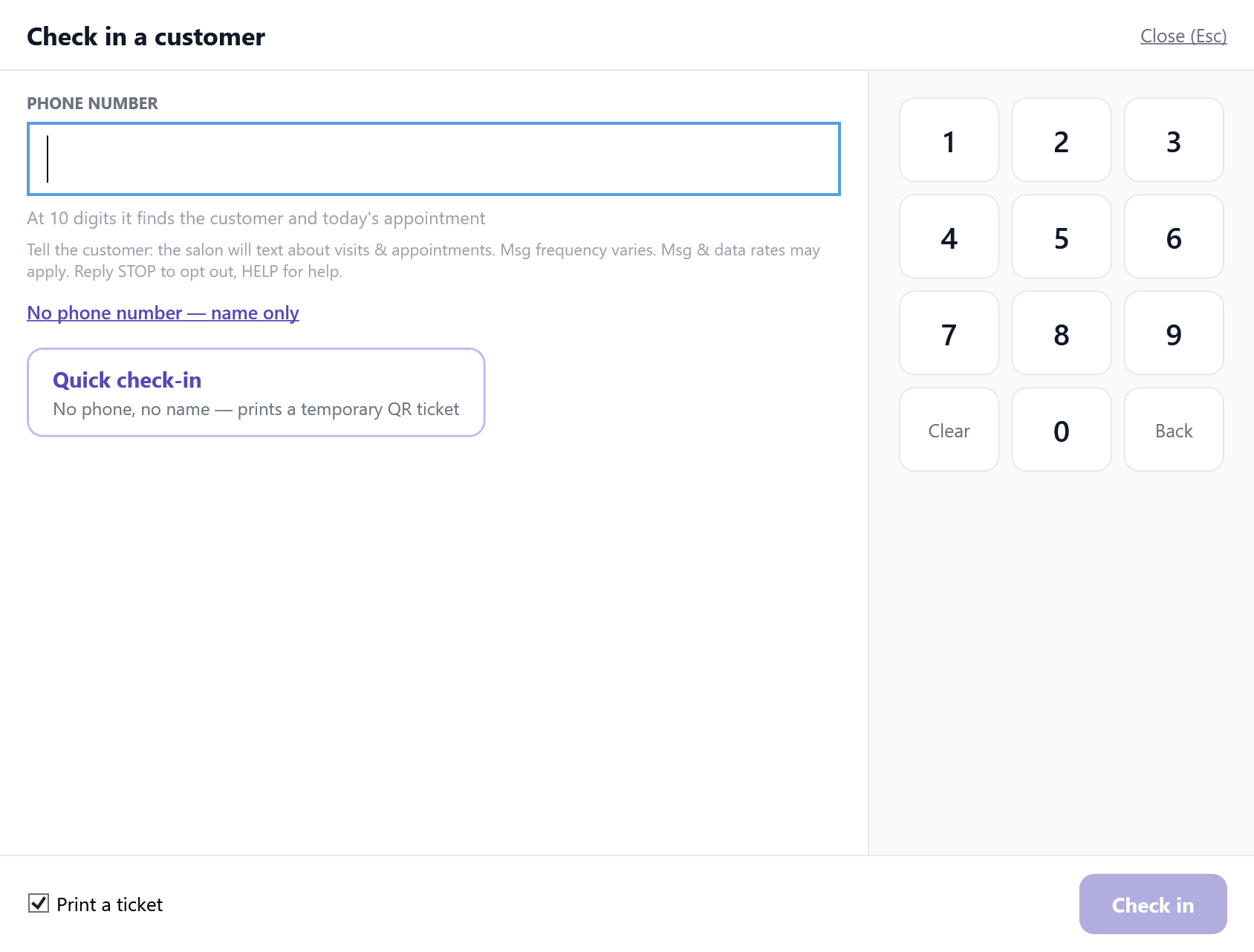
2.4 The front desk
When staff type a customer’s number at the counter, the check-in screen shows staff what to tell the customer:
“Tell the customer: the salon will text about visits & appointments. Msg frequency varies. Msg & data rates may apply. Reply STOP to opt out, HELP for help.”
The customer agrees out loud. The same notice appears when staff book an appointment for the customer at the counter. Once the number is saved, the salon texts this confirmation from its own number (one time per number; never to a number that has replied STOP):
“Lavender Nails & Spa: you’re signed up for appointment texts. Msg frequency varies. Msg & data rates may apply. Reply HELP for help, STOP to opt out.”
3. Sample messages
- Hi Anna! This is Lavender Nails & Spa. Confirming your Gel Manicure on Oct 14, 2026 at 2:00 PM. Reply YES to confirm or NO to cancel. Reply STOP to opt out.
- Lavender Nails & Spa receipt — Gel Manicure - Lisa: $35.00 · Tip: $7.00 · Total: $42.00 · Visa ****4242 · Thank you!
- Hi Anna! Thank you for visiting Lavender Nails & Spa today 💅 How was your service? Tap to let us know (takes 10 seconds): https://p.eva-solution.net/r/7Hk2Qm
4. Customer information
Mobile information will not be sold or shared with third parties for promotional or marketing purposes. Text messaging originator opt-in data and consent will not be shared with any third parties. Each salon has its own privacy policy and SMS terms at p.eva-solution.net/t/<salon code>/privacy and /terms (example: p.eva-solution.net/t/8JM2N7/privacy).
5. Texts from Eva
Eva’s own one-time sign-in codes are a separate program with its own opt-in: see Text messages from Eva.